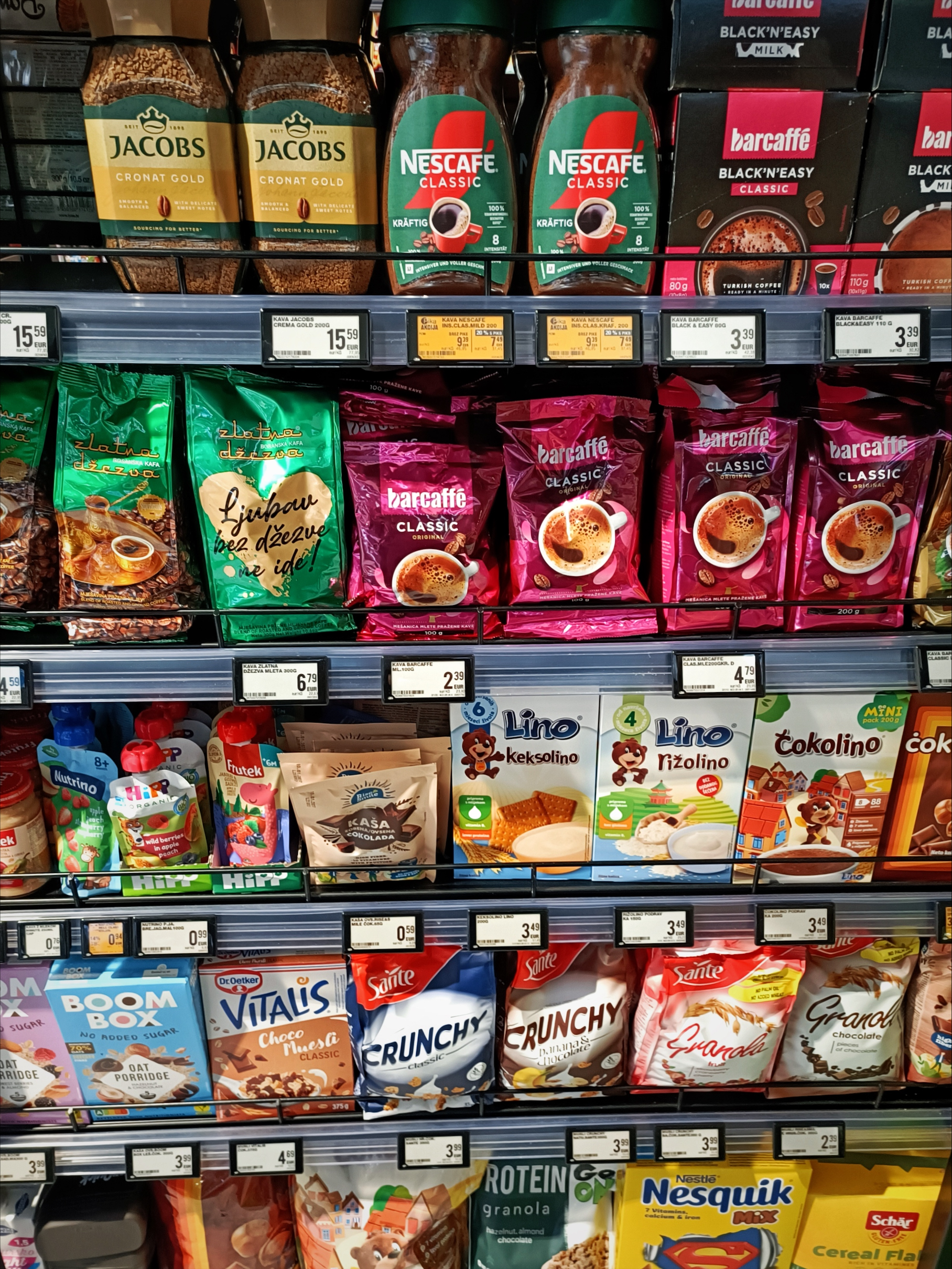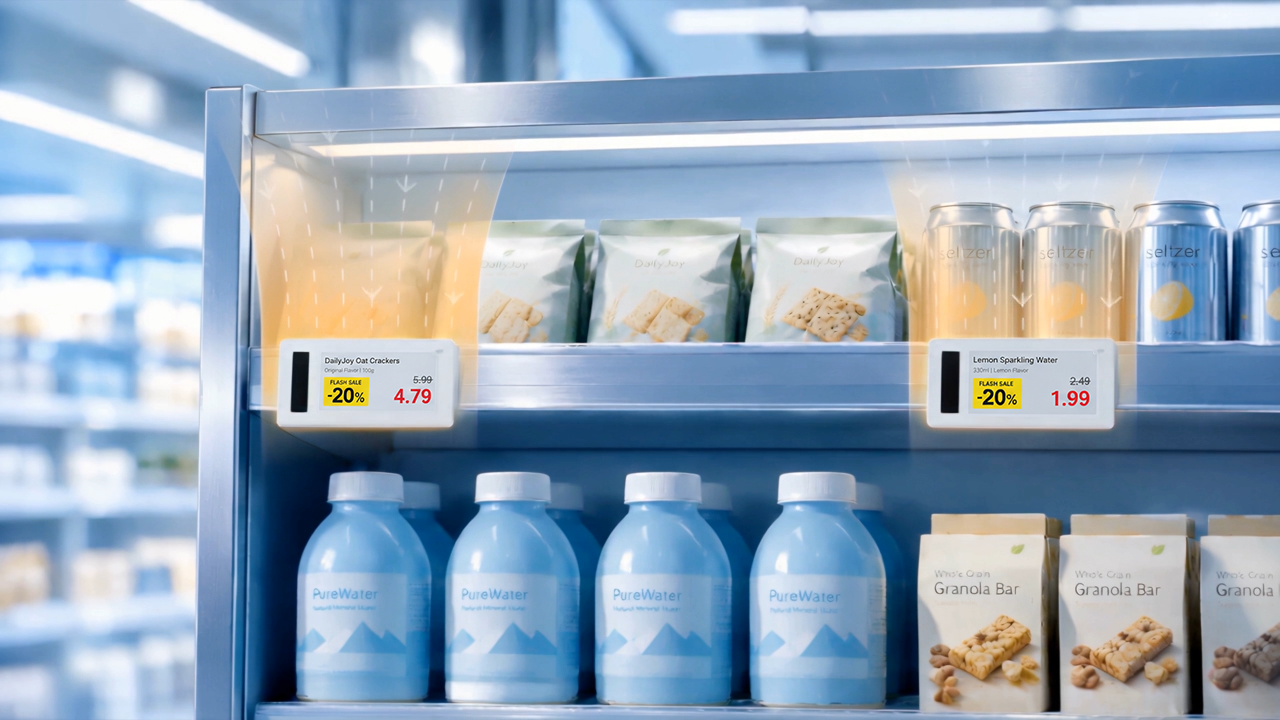
Electronic shelf labels can display far more than a product’s price. Depending on the use case and label format, digital price tags can show promotional conditions, unit prices, product specifications, membership benefits, QR codes, and selected operational or product information. However, adding more content does not necessarily make shelf communication more effective.
At the shelf, shoppers usually have only a few seconds to identify the product, confirm the price, understand any offer, and decide whether the item meets their needs. A successful digital price tag template must therefore organize information around these immediate customer questions rather than simply fill every available area of the screen.
Define the Primary Purpose of the Template
The first objective of a digital price tag is to communicate accurate product and pricing information clearly. Promotional messaging, brand elements, and interactive features should support that objective rather than compete with it.
Retailers should avoid treating an electronic shelf label as a miniature advertising poster. A visually impressive template may still fail if shoppers cannot quickly locate the current price or understand the conditions of a promotion.
Before designing a template, teams should define what shoppers need to recognize first, second, and third. In most situations, the order will be:
- ● Product identity
- ● Current price
- ● Product size or quantity
- ● Unit price
- ● Promotional conditions
- ● Additional product or operational information
This hierarchy provides a practical foundation for decisions about font size, positioning, contrast, and spacing.
Keep Essential Product Information Stable
Every core template should include the information required to connect the electronic shelf label with the correct product. This commonly includes the product name, current price, unit price, and package size or specification. Depending on the use case and screen size, a template may also include a barcode or internal product number for store operations.
The most important fields should remain in consistent positions across templates. If the price appears in a different area whenever a promotion begins, shoppers and store employees must repeatedly adjust their reading behavior. Consistent placement makes electronic shelf labels easier to scan and helps employees identify execution problems.
Product names should be specific enough to distinguish similar items, but unnecessary wording should be removed. Unit prices and specifications should also use standardized formats. For example, displaying “per 100 g” in one category and “/100g” in another can create avoidable inconsistency.
Barcodes and internal numbers are generally operational information. They should remain accessible to employees without taking visual priority over customer-facing content.
Create Clear Hierarchies for Different Price Types
Retailers need templates for several pricing scenarios, including regular prices, promotional prices, member prices, percentage discounts, clearance offers, and near-expiry markdowns. Each scenario requires a recognizable visual structure.
A regular-price template should be simple, with the current price as the dominant element. A promotional template may show both the original and discounted prices, but the relationship between them must be unambiguous. The original price should not be mistaken for the amount shoppers will pay.
Member pricing requires particular care. A large discounted number may attract attention, but the membership requirement must also be immediately visible. Similarly, multibuy offers such as “2 for $5” must clearly explain the price that applies when a shopper purchases only one item.
Promotion dates, quantity requirements, membership restrictions, and other conditions should never become unreadable fine print. A discount that appears more generous because its conditions are hidden can damage customer trust and create disputes at checkout.
Clearance and near-expiry templates should distinguish urgent markdowns from standard promotions while still presenting the product and final price accurately. Color, icons, or borders can help, but they should reinforce the message rather than replace essential text.
Adapt Templates to Products, Scenarios, and Viewing Conditions
Template design should start with three questions: what product is being sold, what shelf task must the display support, and under what viewing conditions will shoppers and employees read it? Screen dimensions matter, but they are only one constraint.
For example, a grocery template may prioritize price, product name, package size, and unit price; a fresh-food variant may add price per kilogram, origin, packaging date, or markdown information. These examples show how product type and task shape the hierarchy without requiring a separate design for every category.
Pharmacy or beauty may need a concise usage or variant detail, while consumer electronics may need selected technical specifications or a product-specific QR code. Keep only the information that helps the shopper's decision at that shelf.
Then test the template against actual viewing conditions: distance, shelf height, aisle width, lighting, glare, and approach angle. A layout that looks clear on a design screen may fail on a low shelf under bright lighting or when a shopper reads it from the side.
Improve Readability Through Visual Discipline
The current price should normally be the easiest element to recognize. Supporting information should form a clear secondary level, while operational fields should remain visually quieter.
Font size must reflect actual viewing conditions rather than only screen dimensions. High contrast is particularly important for small text, unit prices, and promotional conditions. Adequate white space can help separate information groups and reduce the effort required to interpret the display.
Color should be used selectively. On color electronic paper, a limited accent color can draw attention to promotions or warnings. Too many colors, however, weaken the hierarchy. For black-and-white displays, size, weight, borders, and spacing become even more important.
Information density should also vary by electronic shelf label size. When space is limited, removing secondary content is usually better than shrinking every element until it becomes difficult to read.
Use QR Codes and Icons Only When They Add Value
A QR code should have a clear purpose. It might connect shoppers to detailed product information, inventory availability, instructions, ingredient data, or a buying guide. Sending customers to a generic homepage provides little value and may reduce future engagement.
The destination should also be mobile-friendly, fast, and relevant to the specific product. If the linked page changes or disappears, the retailer needs a process for updating the template or redirecting the code.
Icons can communicate information efficiently, but only when their meaning is consistent and familiar. Retailers should define an approved icon set for messages such as member pricing, organic certification, or limited stock. Decorative symbols that require interpretation can increase cognitive effort and occupy space needed for pricing information.
Manage Templates Centrally for Consistent Execution
Effective shelf communication depends on a centralized template system that keeps approved information consistent while allowing legitimate category or market variations.
A central library can hold company-wide templates and controlled category or market variants. Local teams should use the same request and approval path for changes so that the right approved template reaches the right stores without recreating designs independently.
The practical goal is consistency: central management should make approved templates discoverable, distributable, and traceable across stores, while local changes remain controlled rather than ad hoc.
Test Templates on Real Shelves
Templates should be tested in the environment where customers will actually see them. Teams can review labels from realistic distances and angles, under normal store lighting, and on different shelf levels. Testing should include employees as well as customers because electronic shelf labels also support replenishment, price verification, and promotion execution.
After deployment, retailers can monitor price-related customer questions, promotion execution accuracy, template error rates, QR-code engagement, and store feedback. These indicators do not prove that a template directly increases sales, but they can reveal whether shelf communication is becoming clearer and more reliable.
Conclusion
Good digital price tag templates connect product information, the shelf task, and real viewing conditions. They keep the current price and key conditions easy to find, adapt detail to the product and scenario, and are tested where shoppers will actually read them. Centralized template management then helps retailers distribute approved designs consistently while preserving controlled local variation.
Hanshow's electronic shelf label solutions and All-Star Cloud platform can support centralized template management and distribution across store networks, helping retailers apply approved shelf communication consistently while maintaining controlled local variants.[1]
References
[1] Hanshow. All-Star Cloud. https://www.hanshow.com/en/solutions/category/all-star-cloud. Accessed 21 September 2026.